Internal Linking SEO: A Practical UK Guide to Site Structure
Internal linking SEO guide for UK sites: plan site structure, choose anchor text, audit links and fix orphan pages. Free audit offered.
Get a free auditSee UK pricing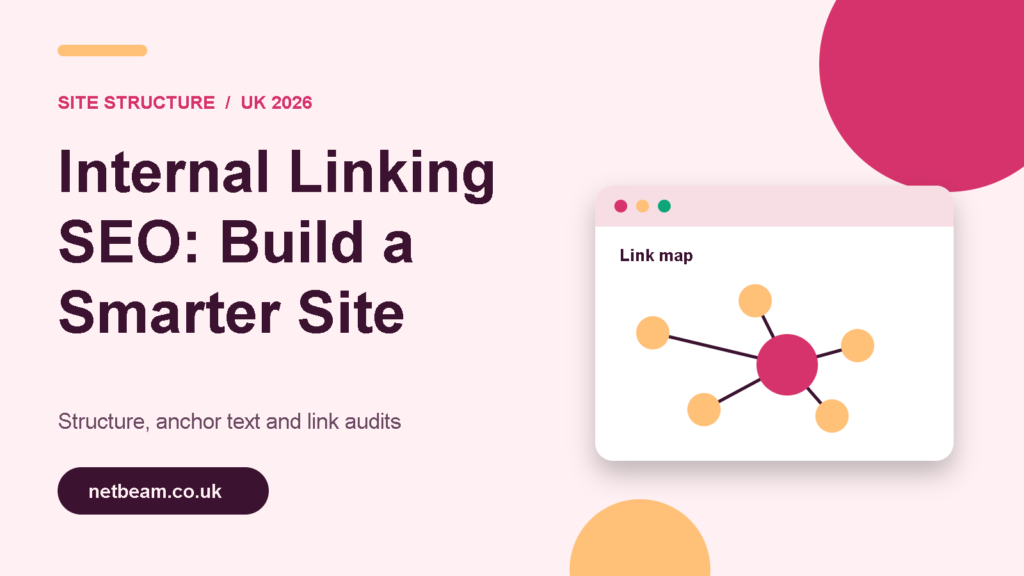
Internal links are the links that connect one page of your website to another. They are free, completely under your control and often overlooked. Done well, they help visitors find what they need, help search engines discover and understand your pages and spread authority to the pages that matter most.
This guide explains internal linking in plain English: why it matters, how to plan a structure, how to choose anchor text and how to audit what you already have. It fits alongside our on-page SEO checklist and technical SEO checklist.
What is internal linking
An internal link points from one page on your domain to another page on the same domain. Menus, footers, buttons and links inside your content are all internal links. External links point to other websites, and backlinks are links from other sites to yours. Internal linking is the only one of these three that you fully control.
Why internal links matter for SEO
- Discovery. Search engines find new pages by following links. A page with no internal links may be crawled late or not at all.
- Context. The words used in a link help describe what the target page is about.
- Importance. Pages that receive many relevant internal links tend to be treated as more important within your site.
- User experience. Good links keep visitors moving towards the information or action they need, which supports enquiries and sales.
- Topic authority. Linking related pages together shows that you cover a subject in depth.
Google has said that links help it find pages and understand their relationships, which is why a clear structure is worth the effort.
Plan your site structure first
Good internal linking starts with a good structure. Think of your site as a few main topics, each with supporting pages. A simple model for a UK business looks like this:
| Level | Example | Links to |
|---|---|---|
| Home page | Netbeam home | Main services, key guides, contact |
| Service hubs | SEO services, local SEO, AI SEO | Related guides, case studies and local pages |
| Supporting pages | Guides, checklists, FAQs | Back to the relevant service and to related guides |
| Local pages | City or area pages | The main service pages and local proof such as reviews |
Every important page should be reachable within a few clicks of the home page. If a valuable page is buried, link to it from your menu, from a hub page or from a related article.
Use the hub and spoke approach
A hub page covers a broad topic and links to detailed supporting pages, which in turn link back to the hub. For example, a local SEO hub can link to a map pack guide, a reviews guide and a Business Profile guide. This makes the topic easy to follow and shows search engines how the pages fit together. See how our local SEO page connects with the map pack guide and the reviews guide.
How to choose anchor text
Anchor text is the clickable wording of a link. It should tell people and search engines what to expect on the next page. Use natural, descriptive wording and vary it, as you would in normal writing.
| Type | Example | Use |
|---|---|---|
| Descriptive | our guide to Google Business Profile for trades | Best for most links |
| Partial match | Business Profile tips | Good for variety |
| Branded | Netbeam | Useful for home page links |
| Generic | click here, read more | Avoid where possible |
| Exact match | SEO agency UK | Use sparingly and only where natural |
Avoid linking every mention to the same page with the same words. It reads badly and can look manipulative. Write for the reader first.
Where to place internal links
- Inside the main content. Contextual links within relevant sentences usually carry the most value.
- In navigation. Use your menu for the pages that matter most to customers, not every page you have.
- In related content sections. A short list of related guides at the end of an article helps readers keep exploring.
- In breadcrumbs. They show the path from the home page and add helpful links on every page.
- In calls to action. Buttons that lead to a service page, a quote form or a contact page turn readers into enquiries.
How many internal links should a page have
There is no magic number. Include as many as are genuinely useful. A typical blog post might have three to ten contextual links, while a long guide could have more. If a page has so many links that none stand out, it is probably too many. Prioritise quality and relevance over quantity.
How to audit your internal links
- List your most valuable pages, such as the main services, local pages and best guides.
- Use a crawler or Search Console to see how many internal links each page receives.
- Find orphan pages that have no internal links and add relevant links from related content.
- Look for broken links and redirects, and update them to point to the final address.
- Check that anchor text describes the target page and is not repeated unnaturally.
- Identify old articles that could link to your newer, more important pages.
The Links report in Search Console shows your top internally linked pages. If a key service page appears far down the list, that is a signal to link to it more. Our Search Console guide explains where to find it.
Internal linking examples
Example 1: a service page
A page about SEO audits can link to a checklist that helps readers do a first pass, a guide to technical issues and the contact page. Each link adds value without distracting from the main goal. For instance, link to the SEO audit checklist and your free audit page.
Example 2: a blog post
A post about Core Web Vitals can link to technical guides, related services and tools. Our Core Web Vitals guide links to the technical checklist, the cookie banner article and the audit checklist, because those are the natural next steps.
Example 3: a local page
A city page should link to the main service pages, the contact page and any relevant local guides or case studies, such as our Liverpool page linking back to the main SEO services page.
Common internal linking mistakes
- Leaving important pages without any internal links
- Using generic anchor text such as click here everywhere
- Linking to redirected or broken pages
- Adding hundreds of links in the footer or sidebar that dilute value
- Linking only to the home page and ignoring deeper pages
- Forgetting to update old articles when you publish new ones
- Using the same exact-match anchor over and over
A simple internal linking routine
- When you publish a new page, link to it from at least three relevant existing pages.
- Link from the new page to related pages and to the relevant service page.
- Once a quarter, review your top pages and add links to newer content.
- Check for broken links after any redesign, migration or URL change.
Need help with your site structure
Netbeam is an SEO agency in Loughborough helping businesses across the UK. Our free audit reviews your structure, internal links and AI visibility in plain English, with no ranking promises.
FAQs
What is an internal link?
An internal link points from one page on your website to another page on the same site, such as a menu link or a link inside an article.
How many internal links should a page have?
There is no fixed number. Add as many as are genuinely helpful, and make sure the most important links are easy to see and relevant.
Do internal links help SEO?
Yes. They help search engines discover pages, understand topics and relationships and decide which pages matter most on your site.
What is anchor text?
Anchor text is the clickable wording of a link. It should describe the destination page naturally and be varied across your site.
What is an orphan page?
An orphan page has no internal links pointing to it, which makes it hard for visitors and search engines to find, so add relevant links.
Internal linking and crawling
Search engines have limited time to spend on any one site, especially a large one. A clean link structure helps crawlers reach your important pages quickly and spend less time on duplicates and dead ends. Keep your sitemap up to date, fix redirect chains and avoid links that lead to error pages. For small business sites this rarely becomes a serious problem, but it is a good habit as your site grows.
Tools that help with internal linking
| Tool | What it helps with | Cost |
|---|---|---|
| Google Search Console | Shows top internally linked pages and indexing issues | Free |
| A site crawler such as Screaming Frog | Finds broken links, orphan pages and anchor text patterns | Free tier and paid |
| Your SEO plugin | Suggests related posts and manages redirects | Often included |
| A spreadsheet | Maps which pages should link to which | Free |
Internal linking and AI search
Clear links between related pages help AI tools and search features understand what your site covers and how topics connect. A well-linked set of guides, service pages and local pages gives a more complete picture of your expertise than isolated pages. Combine good linking with accurate structured data and helpful content, and read our guides to Google AI Mode and GEO for more.
A final tip
Do not treat internal linking as a one-off task. Every new page is a chance to strengthen your structure. Build the habit of asking, whenever you publish something, which existing pages should point to it and which pages it should point to. Over a few months, this simple routine can noticeably improve how easily both people and search engines move through your site.
Get your free website audit
Enter your website and we will email you a plain-language report on SEO health, speed, mobile and AI visibility.
More from the blog
Mother’s Day SEO UK: Win Gift and Florist Searches
Mother's Day SEO UK guide for florists and gift shops: what to fix, publish and plan before March so you capture early and last-minute searches.
Learn more
January Sales SEO: How to Prepare Your UK Shop
January sales SEO starts in November. Learn how to prepare sale pages, titles, schema and stock so your UK shop is ready for post-Christmas demand.
Learn more
Ecommerce SEO UK: The Complete Guide for Online Shops
Learn how to rank your UK online shop: site structure, category and product pages, schema, speed and links. A practical 2026 ecommerce SEO guide.
Learn moreFind out where your website stands in UK search
Start with a free website audit. We explain what we find in plain English and agree priorities before any larger project.