Christmas SEO UK: How to Get Your Website Ready for the Festive Season
Christmas SEO UK guide: key 2026 dates, festive landing pages, local profile updates and content ideas to win more seasonal customers.
Get a free auditSee UK pricing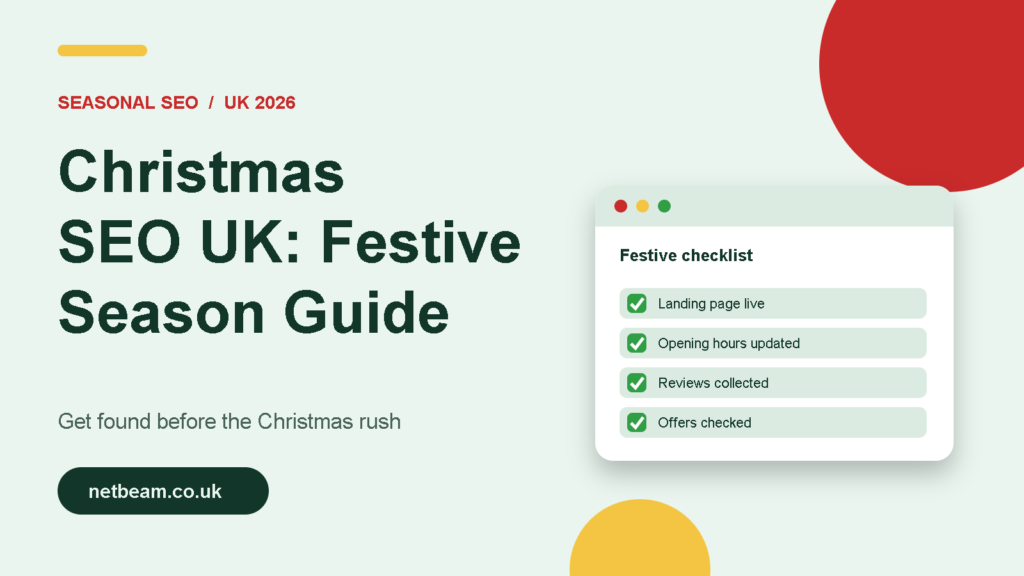
Christmas is the busiest period of the year for many UK businesses, and search behaviour starts shifting well before December. Shoppers look for gift ideas, restaurants look for festive bookings, tradespeople see emergency call-outs and service firms see last-minute enquiries before the break. If your website is ready, you collect that demand. If not, someone else does.
This guide explains how to prepare your site for the festive season: what to publish, what to update, how to protect your local visibility and how to keep the benefit after New Year. It builds on our Black Friday SEO checklist, because many of the same steps apply.
Why Christmas SEO matters for UK businesses
- Search demand rises early. Many people begin researching gifts, venues and services in November, and they keep searching right up to the final days.
- Local intent is strong. Searches such as open late, near me and last minute are common, which makes your Google Business Profile and local pages important.
- Competition for attention increases. Big brands spend heavily on ads, so organic visibility helps smaller businesses stand out without matching their budgets.
- Pages can be reused. A well-built Christmas page can earn authority year after year if you keep the same address and update the content.
Key dates to plan around in 2026
| Date | Event | SEO action |
|---|---|---|
| 27 November | Black Friday | Sale page live, speed tested, offers accurate |
| 30 November | Cyber Monday | Refresh the page with remaining offers and delivery cut-offs |
| Early December | Peak gift research | Gift guides and festive service pages indexed and linked |
| Mid to late December | Last-minute shopping and bookings | Opening hours, delivery deadlines and contact details prominent |
| 25 and 26 December | Christmas Day and Boxing Day | Special hours updated everywhere, with an out-of-hours plan |
| Late December and early January | Sales and new year planning | Sale page updated, then evergreen content ready for January |
Exact delivery and posting deadlines vary by carrier, so always check current information before you publish dates on your site.
Step 1: Audit your site before the rush
Do a quick health check while you still have time to fix problems. The goal is to avoid losing festive customers to something simple.
- Test your site on a phone, since most festive browsing happens on mobile.
- Check that forms, phone numbers and booking buttons work.
- Review your page speed using the targets in our Core Web Vitals guide.
- Use Search Console to find indexing errors and broken pages that could cost you traffic.
- Make sure your checkout, enquiry or booking process is clear and short.
Our SEO audit checklist gives you a complete list to work through.
Step 2: Create a Christmas landing page
A dedicated festive page gives you something to promote and something for search engines to rank. Use a permanent address, such as /christmas/, so the page can build authority over the years.
What to include
- A clear heading with the year, such as Christmas offers 2026
- What you offer for the season, with real prices, dates and conditions
- Booking or ordering instructions, including final dates for Christmas delivery or appointments
- Opening hours for the festive period, with bank holidays clearly marked
- Gift vouchers or bundles if relevant
- Contact details and a short FAQ
- Links to your main product or service pages
Match the page to what people search
Think about the phrases customers actually type: gift ideas, Christmas menu, Christmas party venue, boiler service before Christmas or last minute gifts. Use these naturally in headings and copy, and write for people first. Our keyword research guide shows how to check what your customers search for.
Step 3: Protect your local visibility
For local businesses, Christmas can make or break the quarter. Your Google Business Profile is often the first thing a customer sees, so keep it accurate.
- Set special opening hours for Christmas Eve, Christmas Day, Boxing Day and New Year.
- Add fresh photos of your premises, products or team with a festive feel.
- Publish a Business Profile post about your offers or last booking dates.
- Answer questions promptly and reply to new reviews.
- Check that your phone number, address and categories are correct everywhere.
If you work from a van or serve customers at their homes, make sure your service area is clear. Our guides to the map pack and AI search and Business Profile for trades explain how to keep your listing strong.
Step 4: Publish festive content that helps
Helpful content captures customers who are still deciding. Think about the questions people ask at this time of year and answer them honestly on your own site.
| Business type | Festive content ideas | Why it works |
|---|---|---|
| Shops and ecommerce | Gift guides by budget, last order dates, gift wrapping and returns information | Answers the questions that stop people buying |
| Restaurants and venues | Christmas menus, party packages, booking terms and dietary information | Captures bookings from people comparing options |
| Trades and home services | Winter checklists, emergency call-out information and boiler or roof advice | Helps people who need urgent help and builds trust |
| Professional services | Year-end checklists, deadlines and planning advice | Targets customers who are tidying up before the new year |
| Salons and wellbeing | Gift vouchers, festive offers and booking tips | Turns gift searches into bookings |
Keep articles clear and useful, include your own experience and link to the relevant service or product page. Avoid thin pages that only repeat the same keywords.
Step 5: Use reviews and trust signals
Christmas shoppers are cautious about delivery and quality, so visible proof matters. Show recent reviews on your key pages, explain your returns and delivery policies clearly and make contact details easy to find. If you have been collecting reviews steadily, share a few on your festive page. Our guide to Google reviews explains how to ask, reply and stay within the rules.
Step 6: Make the most of internal links and schema
- Link to your Christmas page from the home page, the menu and relevant product or service pages.
- Use clear anchor text such as Christmas gift ideas, not click here.
- Add accurate Product or Event markup where it applies, and keep prices and dates up to date. See our schema markup guide.
- Include your Christmas page in your sitemap and check it with the URL Inspection tool.
Common Christmas SEO mistakes
- Publishing the festive page too late for Google to find it
- Creating a new address every year instead of updating one
- Leaving old offers, dates or prices visible after they expire
- Forgetting to update opening hours on your website and Business Profile
- Promising delivery dates you cannot meet
- Slowing down the site with heavy festive banners, pop-ups and animations
After Christmas: keep the benefit
When the season ends, avoid deleting your page. Update it with a thank-you, point visitors to your sale or January offers and keep the address live. Review Search Console to see which queries brought visitors, which pages performed best and what customers were asking. Use that insight to plan next year, and to turn the best festive content into evergreen guides that work all year. Our Search Console guide shows how to read the data.
A simple Christmas SEO checklist
- Site tested on mobile and checked for speed and errors
- Christmas page published, linked and indexed
- Business Profile hours, photos and posts updated
- Reviews collected and displayed
- Delivery and booking deadlines clear and accurate
- Offers and prices checked, with expired ones removed
- Plan in place for the quiet period after the holidays
Need help getting ready for the festive rush
Netbeam is an SEO agency in Loughborough helping businesses across the UK. Our free audit checks your site, local profile and AI visibility in plain English, with no ranking promises. If you are unsure who to trust with your SEO, read how to choose an SEO agency in the UK first.
FAQs
When should I start Christmas SEO?
Start as early as possible, ideally in October or early November. New and updated pages need time to be crawled and understood before peak demand.
Should I create a new Christmas page every year?
No. Keep one permanent address such as /christmas/ and update it each year so it can build authority over time.
How can a local business benefit from Christmas SEO?
Update your Google Business Profile hours, add festive photos and posts, collect reviews and publish a clear page with offers, dates and contact details.
What should I do with my Christmas page in January?
Keep it live and update it with a thank-you, current offers or a note about next year, and link visitors to relevant products or services.
Do Christmas keywords really matter?
They matter because many searches are seasonal. Use phrases customers actually type naturally in headings and copy, and focus on genuinely helpful information.
Extra tips for online shops at Christmas
Online retailers face the toughest competition, so small improvements to product pages can make a real difference. Start with your best sellers, because they already attract the most searches.
- Write unique product descriptions that explain who the item is for, what is included and how it arrives.
- Show stock and delivery information clearly, and update it daily during peak weeks.
- Use high-quality images, compressed so pages stay fast on mobile.
- Add genuine customer reviews to product pages, and never invent or edit them.
- Offer clear alternatives when something sells out, instead of leaving a dead page.
- Make returns and gift receipts easy to understand, since this reassures nervous buyers.
Finally, check your analytics each morning during the busiest weeks. If a page suddenly loses traffic or an error appears, you can fix it the same day rather than discovering it in January.
Get your free website audit
Enter your website and we will email you a plain-language report on SEO health, speed, mobile and AI visibility.
More from the blog
Mother’s Day SEO UK: Win Gift and Florist Searches
Mother's Day SEO UK guide for florists and gift shops: what to fix, publish and plan before March so you capture early and last-minute searches.
Learn more
January Sales SEO: How to Prepare Your UK Shop
January sales SEO starts in November. Learn how to prepare sale pages, titles, schema and stock so your UK shop is ready for post-Christmas demand.
Learn more
Ecommerce SEO UK: The Complete Guide for Online Shops
Learn how to rank your UK online shop: site structure, category and product pages, schema, speed and links. A practical 2026 ecommerce SEO guide.
Learn moreFind out where your website stands in UK search
Start with a free website audit. We explain what we find in plain English and agree priorities before any larger project.