Black Friday SEO UK: 7-Step Checklist for 2026
Black Friday SEO UK checklist for 2026: fix speed, schema, sale pages and Business Profile now to win more clicks and sales. Free audit offered.
Get a free auditSee UK pricing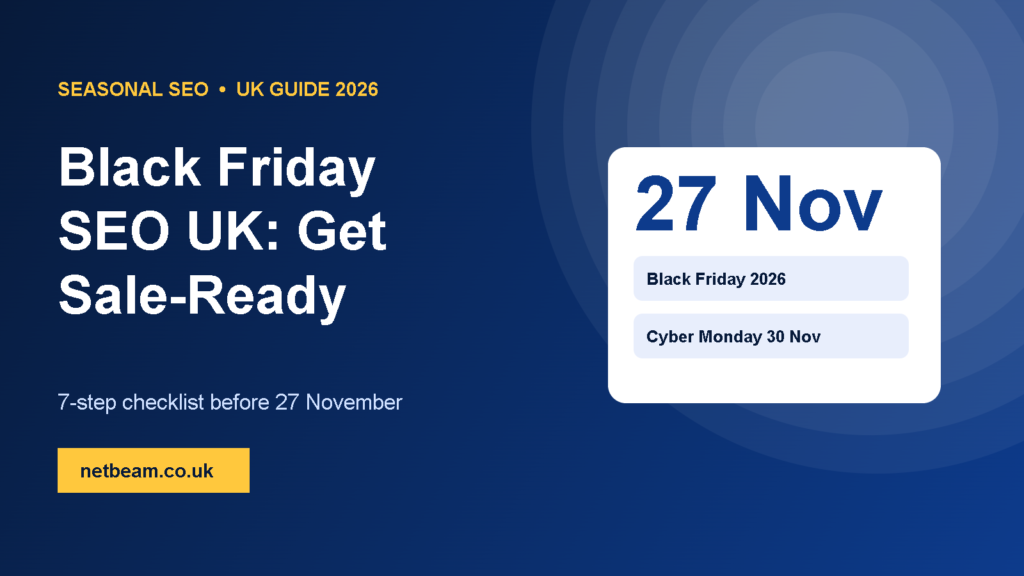
Black Friday falls on 27 November in 2026, and UK shoppers start searching weeks earlier. If your site is not ready, your competitors will collect the clicks. The good news is that a few smart SEO moves now can pay off during the sale and long after it ends.
This guide covers practical Black Friday SEO for UK shops and service businesses: what to fix, what to publish, and what to avoid. It works alongside our technical SEO checklist and local SEO checklist.
Why Black Friday SEO needs early action
- Search demand builds early. Shoppers research deals for days or weeks before the day itself.
- New pages take time to be found. Google needs time to crawl and understand fresh content.
- Competition is fierce. Big retailers dominate paid results, so organic visibility helps smaller UK businesses stand out.
- Sale traffic can last. Pages built well can keep working for Cyber Monday, Christmas and next year.
Black Friday SEO checklist for UK businesses
1. Use one permanent sale URL
Create a single page such as /black-friday/ and reuse it every year instead of making a new page each time. Update the content, keep the URL and let its authority build. After the sale, keep the page live with a short note and links to current offers rather than deleting it.
2. Match search intent with useful content
Shoppers want to see deals, dates, terms and delivery details quickly. Show real offers, start and end dates, any exclusions and delivery cut-offs for Christmas. Avoid thin pages that only say “huge discounts”.
3. Fix speed before traffic arrives
A slow page loses sales when traffic peaks. Compress images, remove heavy scripts and test on mobile. Our Core Web Vitals guide shows the targets to aim for.
4. Add product structured data
Accurate Product and Offer schema, including price, availability and reviews that are real, helps search engines understand your listings. Read our schema markup guide for safe setup and testing.
5. Update your Google Business Profile
If you have a shop, studio or service area, update special opening hours, add sale photos and post your offers. Keep your details consistent everywhere. See our guides to the map pack and getting more Google reviews.
6. Strengthen internal links
Link to your sale page from the home page, main menu and relevant category pages. Use clear anchor text, such as “Black Friday offers”, not “click here”.
7. Plan for AI search
AI tools summarise businesses and deals from the web. Clear, factual pages with accurate prices, dates and policies are easier for them to represent. See our guides to Google AI Mode and getting found in ChatGPT.
Black Friday SEO timeline
| When | What to do |
|---|---|
| Now to mid-November | Publish or refresh your sale page, fix speed and check product data |
| Week before | Update internal links, Business Profile hours and email teasers |
| Black Friday weekend | Monitor stock, price accuracy and site speed daily |
| Cyber Monday | Refresh the page with remaining offers and delivery cut-offs |
| December | Keep the page live, move to Christmas gift content, then review results in Search Console |
Black Friday keywords to cover naturally
Work these into headings, intros and descriptions where they genuinely fit: Black Friday deals, Black Friday UK, Black Friday offers, Cyber Monday deals, Christmas gift ideas, sale dates, delivery cut-off, free delivery, discount codes and “near me” phrases for local shops.
Black Friday SEO mistakes to avoid
- Creating a new sale URL every year
- Fake “was” prices or misleading discounts, which can break UK consumer rules
- Publishing the sale page too late for Google to find it
- Letting stock-outs leave dead product pages with no alternative
- Ignoring mobile speed and checkout friction
- Deleting the page the day after the sale
Pricing claims must be genuine. If you are unsure, check the latest Competition and Markets Authority guidance on pricing and reviews before you publish offers.
How to measure your results
- Track clicks and impressions for your sale page in Google Search Console.
- Compare organic traffic and conversions with last year in your analytics.
- Review which queries brought visitors and add them to your content plan.
- Fix any crawl or speed problems the busy period revealed.
Where Black Friday fits in your wider SEO plan
Seasonal SEO is strongest on top of solid foundations. Run our SEO audit checklist, strengthen local SEO and read whether SEO works for UK businesses to set realistic expectations.
Want your site ready for the sale?
Netbeam is an SEO agency in Loughborough helping businesses across the UK. Our free audit checks your speed, technical health and AI visibility in plain English, with no ranking promises.
What to put on your Black Friday landing page
A sale page should help a shopper decide quickly and help Google understand what the page offers. Include the following, using plain, honest wording:
- A clear heading with the event name and year, such as Black Friday offers 2026
- The start and end dates, with the time zone if you sell nationally
- A short summary of the best offers, with real prices and genuine savings
- Links to the main product or service categories that are on offer
- Delivery cut-off dates for Christmas and your returns policy
- Contact details and opening hours for questions
- A short FAQ covering codes, stock, delivery and returns
Black Friday SEO for different business types
| Business type | What to focus on | Example content |
|---|---|---|
| Online shop | Category pages, product feeds, stock accuracy and speed | Top deals by category and a gift guide |
| Local service business | Special offers, booking slots and Business Profile updates | Seasonal service bundles and gift vouchers |
| Restaurant or venue | Gift vouchers, festive bookings and opening hours | Christmas menu and voucher pages |
| Agency or B2B | Limited-time audits or packages and lead capture | A clear offer page with terms and a contact form |
Using Google Business Profile during the sale
If customers find you locally, your Business Profile can carry as much weight as your website. Update special hours for the sale weekend and Christmas, add fresh photos of your offers and publish a post that links to your sale page. Make sure your phone number, address and categories are correct, and answer questions promptly. Our guide to Business Profile for trades explains how to keep your profile complete.
Content ideas to capture Black Friday searches
- A buying guide that helps people choose between your products or services before they spend
- Gift ideas for different budgets, which stay useful until Christmas
- A short comparison of what is included in each offer
- A guide to avoiding common sale mistakes, written from your area of expertise
- A post-sale page that explains when your next offer is likely to appear
Technical checks before the traffic arrives
- Test your checkout from start to finish on a phone, using a real payment test where possible.
- Confirm your server and hosting can handle higher traffic, and ask your provider about limits.
- Check that product pages show the right price, stock and delivery details.
- Make sure your sale page is in your sitemap and linked from your main menu.
- Remove old campaign banners that point to expired offers.
- Review your Core Web Vitals so the busiest pages stay fast.
After the sale: keep the value
When the sale ends, do not delete your page or leave it showing expired offers. Update it with a short thank-you, point visitors to current products, and invite them to join your email list for the next offer. Review Search Console to see which queries brought visitors, then use that information to plan Cyber Monday, Christmas and next year. The strongest seasonal pages are the ones that get better every year.
If you want to be sure your site is ready for peak traffic, request a free audit and we will check speed, indexing and sale-page structure for you.
Black Friday SEO mistakes in the final week
The last week before the sale is when small errors cost the most. Check for these before you relax:
- A sale page that is live but blocked by a noindex tag left over from testing
- Discount codes that no longer work, which frustrate customers and increase support questions
- Product pages that show out-of-stock items without suggesting alternatives
- Pop-ups that cover the page on mobile and hurt both usability and rankings
- Tracking set up incorrectly, so you cannot tell which channels brought the sales
- Large images added at the last minute that slow the whole page down
Open your sale page in a private browser window on a phone, click every button and link, and confirm the offer matches what you advertise. Then use the URL Inspection tool in Search Console to check that Google can crawl the page. Our Search Console guide shows how.
Finally, write down what worked and what did not while it is fresh. Next year’s plan will be far easier, and your sale page will start the season with an authority advantage.
Black Friday pages perform best on a shop that is already well optimised all year. Our ecommerce SEO UK guide covers the everyday basics, from category pages to product descriptions.
FAQs
When is Black Friday 2026?
Black Friday is on Friday 27 November 2026, followed by Cyber Monday on 30 November.
How early should I start Black Friday SEO?
Start several weeks ahead. New or updated pages need time to be crawled and understood, so mid-November is already tight.
Should I create a new Black Friday page every year?
No. Reuse one permanent URL such as /black-friday/ and update it, so the page keeps building authority year after year.
Does Black Friday SEO work for local businesses?
Yes. Update your Google Business Profile hours, photos and offers, and publish a clear sale page with real terms and dates.
What should I do with the page after the sale?
Keep it live, update it with current offers or a note about the next sale, and link to relevant products or services.
Get your free website audit
Enter your website and we will email you a plain-language report on SEO health, speed, mobile and AI visibility.
More from the blog
Ecommerce Technical SEO Audit: WooCommerce and Shopify Checks
Run an ecommerce technical SEO audit on WooCommerce or Shopify: indexing, duplicate product URLs, facets and speed. Start with a free UK SEO audit.
Learn more
Japanese Keyword Hack: How to Fix It and Recover in Google
Japanese keyword hack in Google? Learn how to return 410 Gone, remove spam URLs in Search Console and recover. Start with a free SEO audit today.
Learn more
Ecommerce SEO UK: The Complete Guide for Online Shops
Learn how to rank your UK online shop: site structure, category and product pages, schema, speed and links. A practical 2026 ecommerce SEO guide.
Learn moreFind out where your website stands in UK search
Start with a free website audit. We explain what we find in plain English and agree priorities before any larger project.