Japanese Keyword Hack: How to Fix It and Recover in Google
Japanese keyword hack in Google? Learn how to return 410 Gone, remove spam URLs in Search Console and recover. Start with a free SEO audit today.
Get a free auditSee UK pricing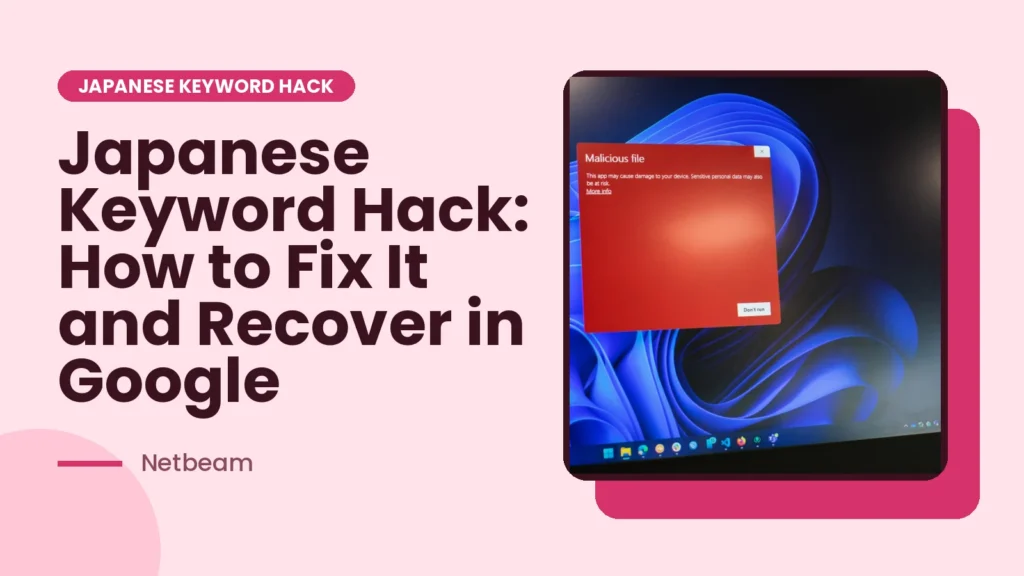
A Japanese keyword hack is a compromise that injects thousands or millions of spam URLs, usually selling counterfeit goods in Japanese, into your website so they get indexed under your domain. You recover by removing the infection, making every spam URL return 410 Gone, and asking Google to drop and recrawl the affected URLs.
Our own site went through this, so the steps below are the ones we used rather than theory. Recovery speed depends on how many URLs were injected and how often Google crawls your site, so treat any timescale as a range, not a promise.
Key takeaways
- A Japanese keyword hack floods your site with spam URLs, and the fix is to clean the site, return 410 Gone for every spam pattern and let Google recrawl.
- Check Manual Actions and Security Issues first, but a clear result does not mean the spam is gone from the index.
- Search Console prefix removals hide spam quickly, but they are temporary, so the 410 responses do the permanent work.
- Never block spam folders in robots.txt, because Google then cannot see the 410.
- Redirect any real pages that now return 404, then request re-indexing of your homepage.
In this guide
- What is a Japanese keyword hack and how do you spot one?
- How do you fix a Japanese keyword hack step by step?
- Why use 410 Gone for hacked pages?
- How do you remove hacked URLs from Google?
- What does "crawled – currently not indexed" mean for spam?
- Which mistakes slow recovery most?
- How do you rebuild your real pages after the clean-up?
- How long does recovery take, and what does it cost?
- Where should you start?
What is a Japanese keyword hack and how do you spot one?
The clearest sign is a huge gap between known URLs and indexed URLs in Google Search Console. On our site, Search Console showed about 2.69 million known URLs but only about 1,600 indexed, with millions sitting under “Crawled – currently not indexed”.
Other signs to check:
- Search results showing Japanese titles or product listings under your domain.
- Odd URL patterns in the Pages report, such as /shop.php?tags/, /goods.php?tags/, /pc/index.php?items/, /items/, /tags/, /prizes/, /products/detail/ and /kaden/.
- Real pages dropping sharply. Ours averaged position 70 to 80 while the spam was in the index.
- Unknown admin users or posts you did not write.
On WordPress, Japanese spam pages usually arrive through an outdated plugin or theme, a weak admin password or a backdoor file left from an earlier infection. The spam is often generated on the fly, so you may not find it in your list of posts at all.
How do you fix a Japanese keyword hack step by step?
Work in this order: confirm Google has not flagged you, clean the site, return 410 for every spam pattern, request removals, then repair your real pages. This is the sequence we followed on netbeam.co.uk.
- Check Manual Actions and Security Issues in Search Console. Ours were both clear, which is common. Google’s own guidance on Search documentation covers hacked-site reports if yours are not.
- Clean the site. Confirm no spam posts or extra admin users remain, update everything, change passwords and remove unused plugins and themes.
- Make every spam pattern return 410 Gone. We used regex rules in Rank Math Redirections, one per pattern.
- Submit prefix removal requests in Search Console for each pattern.
- 301-redirect real pages that were returning 404 because of the hack or clean-up.
- Request re-indexing of the homepage.
If you are not on Rank Math, you can do the same with server rules or another redirect plugin. The key is that the response code is 410, not a redirect and not a 200.
Why use 410 Gone for hacked pages?
A 410 Gone response tells Google a URL has been removed on purpose and will not return. For hacked pages that is exactly the message you want to send, and it is a clearer signal than letting spam URLs fall through to a generic 404.
Google generally treats 404 and 410 in a similar way, so a 410 is not magic. It is simply the most accurate answer and can help Google drop URLs sooner, though nothing is guaranteed.
| Response for spam URLs | What Google reads | Use it? |
|---|---|---|
| 410 Gone | Removed permanently | Yes, best choice |
| 404 Not Found | Missing, may be rechecked for a while | Acceptable, usually slower |
| 301 redirect to homepage | Page moved | No, it muddies the signal |
| 200 OK with spam content | Live page | Never |
| Blocked in robots.txt | Cannot be crawled, so the status is unseen | No, not on its own |
Test a sample URL from each pattern with a header checker or your browser’s network tab. Do not assume the rule works until you have seen the 410 yourself.
How do you remove hacked URLs from Google?
To remove hacked URLs from Google, add prefix removal requests in the Search Console Removals tool for each spam pattern, and keep the URLs returning 410. The tool hides matching results from search quickly, but only temporarily, so it is a stopgap, not the cure.
A practical way to use Google Search Console removals:
- List every spam pattern from the Pages report and your server logs.
- Create one “remove all URLs with this prefix” request per pattern.
- Keep the 410 rules live long after the removal request lapses.
- Recheck the reports weekly for new patterns, as attackers often change them.
If you are new to the tool, our Google Search Console guide for UK business owners explains the reports used here. Google’s Search Console Help documents the Removals tool in detail.
What does “crawled – currently not indexed” mean for spam?
“Crawled – currently not indexed” means Google fetched the URL but chose not to include it in the index. For a Japanese keyword hack, a large number here is a symptom of the infection, not a separate problem to solve.
Do not try to “fix” those URLs one by one. Millions of them will not be practical to inspect. Instead, make the underlying patterns return 410 and let the count shrink as Google recrawls.
The count will fall slowly. Expect weeks to months for large volumes, depending on your site’s crawl rate. Watch the trend, not daily changes.
Which mistakes slow recovery most?
The most common mistake is blocking the spam folders in robots.txt. Google cannot recrawl a blocked URL, so it never sees the 410 and the spam can stay in the index longer. Remove those blocks and let Google fetch the URLs.
Other mistakes we see often:
- Spam query strings on the homepage returning a 200. Test URLs such as /?tags/… and make sure they do not resolve to a normal page.
- Redirecting spam to the homepage. It looks tidy but tells Google the spam pages moved, not that they are gone.
- Cleaning posts but not the backdoor. If the entry point stays, the spam returns.
- Ignoring real pages. Clean-ups often break genuine service URLs, which then return 404 and lose their traffic.
- Reacting with volume. We tried publishing generic seasonal AI posts every day. They did not bring clicks, so we cut to fewer, service-focused posts. Our SEO content strategy guide explains how to plan content that earns its place.
How do you rebuild your real pages after the clean-up?
Once the spam returns 410, fix the legitimate pages the hack disrupted. Find real URLs returning 404, then 301-redirect each one to its closest current equivalent. We did this for old service URLs on our own site.
Then request re-indexing of the homepage so Google recrawls your main entry point and follows your internal links to the pages that matter. Strong internal linking helps Google rediscover those pages faster.
Also review your site’s overall health. Our technical SEO checklist for UK websites covers crawl, indexing and redirect checks worth running after any hack.
How long does recovery take, and what does it cost?
There is no fixed timescale. A small infection can clear within weeks, while millions of injected URLs can take several months to drop out. Rankings for your real pages may return gradually once the spam is out of the index, but we cannot promise a particular position or date.
Costs vary too. Clean-up can range from a modest security fix to a longer job involving developers, redirects and monitoring, depending on how deep the infection goes and how big the site is. If you want a sense of ongoing SEO spend after the clean-up, see how much SEO costs in the UK.
Where should you start?
Start with Search Console: check Manual Actions and Security Issues, then compare known URLs with indexed URLs in the Pages report. That tells you quickly whether you have a small problem or a large one.
Our usual audit order is indexing and crawl problems first, then site speed and Core Web Vitals, then on-page and internal links, then content gaps. A hack sits squarely in the first group, so fix it before anything else.
If you would like a second pair of eyes, request a free SEO audit or read about our technical SEO service. You can also contact the Netbeam team to talk through what you are seeing.
FAQs
How to fix japanese keyword hack?
Clean the infection first, then make every spam URL pattern return 410 Gone, add prefix removal requests in Google Search Console, and redirect any real pages that now return 404. Request re-indexing of your homepage afterwards. Recovery speed varies with the number of injected URLs and how often Google crawls your site.
Does a Japanese keyword hack hurt my rankings?
It can. On our own site, real pages averaged position 70 to 80 while millions of spam URLs were in the index. The effect varies by site, and rankings tend to recover gradually once the spam is removed, but no result is guaranteed.
Should I block spam folders in robots.txt?
No, not on its own. If robots.txt blocks the spam URLs, Google cannot recrawl them and never sees your 410 Gone response, so they can remain in the index for longer. Let Google fetch the URLs and return a 410 for every spam pattern instead.
Why do Japanese spam pages appear on WordPress sites?
Attackers usually get in through outdated plugins or themes, weak admin passwords or leftover backdoor files, then inject spam URLs that are indexed under your domain. Check for unknown admin users, update everything, remove unused plugins and look for modified files before you start removing URLs from Google.
How long does it take to remove hacked URLs from Google?
Search Console removal requests can hide URLs quickly, but they are temporary. Permanent removal depends on Google recrawling URLs that return 410 Gone. Small clean-ups can take weeks, while millions of URLs may take months. Timescales vary by site, so monitor the Pages report for the trend.
Get your free website audit
Enter your website and we will email you a plain-language report on SEO health, speed, mobile and AI visibility.
More from the blog

Ecommerce Technical SEO Audit: WooCommerce and Shopify Checks
Run an ecommerce technical SEO audit on WooCommerce or Shopify: indexing, duplicate product URLs, facets and speed. Start with a free UK SEO audit.
Learn more
Ecommerce SEO UK: The Complete Guide for Online Shops
Learn how to rank your UK online shop: site structure, category and product pages, schema, speed and links. A practical 2026 ecommerce SEO guide.
Learn more
SEO Reporting UK: How to Measure Results and Build a Monthly Report
SEO reporting UK guide: the metrics that matter, free tools and a simple monthly report template to measure results and prove value.
Learn moreFind out where your website stands in UK search
Start with a free website audit. We explain what we find in plain English and agree priorities before any larger project.